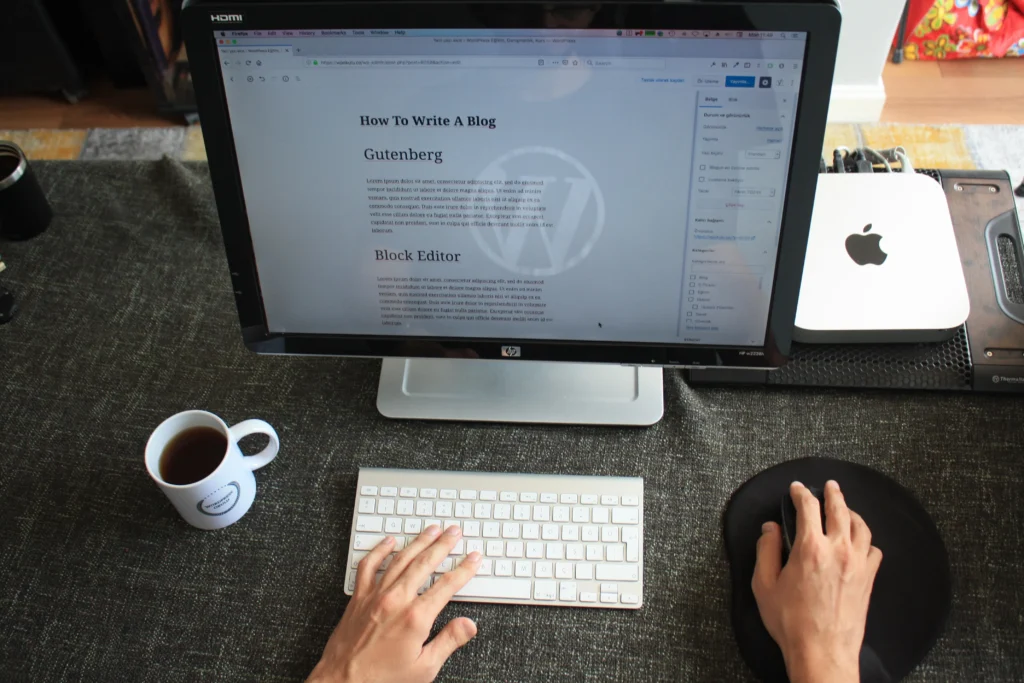
Complete Guide to WordPress
What is WordPress?
WordPress is a powerful Content Management System (CMS) that helps users create, manage, and publish websites without writing much code. It was first released on May 27, 2003, by Matt Mullenweg and Mike Little. Today, it is the world’s most popular website platform.
History of WordPress
- 2003: First version released.
- 2005: Theme system introduced.
- 2010: Custom post types added.
- 2015: REST API development began.
- 2018: Gutenberg Block Editor introduced.
- Today: Used by millions of websites worldwide.
Why Choose WordPress?
- Free and open source
- Easy to learn
- Beginner-friendly
- Mobile responsive
- SEO optimized
- Secure with proper maintenance
- Large developer community
- Thousands of themes and plugins
- Highly customizable
- Suitable for small and enterprise websites
Types of WordPress
1. WordPress.org (Self-Hosted)
You download WordPress software and install it on your hosting server.
Advantages
- Full control
- Unlimited customization
- Install any plugin
- Install custom themes
- Better SEO control
- Monetize your website freely
Disadvantages
- Need hosting
- Need domain
- Responsible for backups and updates
2. WordPress.com (Hosted)
Everything is managed for you.
Advantages
- Easy setup
- No server management
- Automatic updates
- Free plan available
Disadvantages
- Limited customization on lower plans
- Some plugins unavailable
- Less control
WordPress Requirements
Minimum requirements:
- PHP 8.1 or newer (recommended)
- MySQL 8.0 or MariaDB 10.6+
- HTTPS support
- Apache or Nginx server
- Domain name
- Web hosting
WordPress Dashboard
The dashboard is the control panel.
Main menu includes:
- Dashboard
- Posts
- Media
- Pages
- Comments
- Appearance
- Plugins
- Users
- Tools
- Settings
Difference Between Posts and Pages
Posts
Used for:
- Blogs
- News
- Articles
- Updates
Features:
- Categories
- Tags
- Author
- Date
Pages
Used for:
- Home
- About
- Contact
- Services
- Privacy Policy
Features:
- Static content
- No categories
- No publishing date shown by default
Themes
A theme controls your website’s design.
Popular themes:
- Astra
- Kadence
- GeneratePress
- Neve
- OceanWP
- Hello Elementor
Premium themes:
- Divi
- Avada
- Flatsome
- Newspaper
- Porto
Plugins
Plugins add new functionality.
Examples:
SEO
- Yoast SEO
- Rank Math
- All in One SEO
Security
- Wordfence
- Sucuri
- iThemes Security
Speed
- WP Rocket
- LiteSpeed Cache
- W3 Total Cache
- Autoptimize
Forms
- Contact Form 7
- WPForms
- Fluent Forms
Backup
- UpdraftPlus
- BlogVault
- Duplicator
eCommerce
- WooCommerce
- Easy Digital Downloads
WordPress Editors
Classic Editor
Traditional editor.
Gutenberg Block Editor
Default editor.
Blocks include:
- Paragraph
- Heading
- Image
- Gallery
- Button
- Columns
- Table
- Video
- Audio
- Quote
- List
- HTML
Page Builders
Popular builders:
- Elementor
- Divi Builder
- Beaver Builder
- Bricks Builder
- WPBakery
WordPress File Structure
wordpress/

├── wp-admin/
├── wp-content/
│   ├── plugins/
│   ├── themes/
│   ├── uploads/
│   └── languages/
├── wp-includes/
├── index.php
├── wp-config.php
├── functions.php
Database Tables
Important tables:
- wp_posts
- wp_users
- wp_options
- wp_comments
- wp_terms
- wp_term_taxonomy
- wp_postmeta
- wp_usermeta
User Roles
Administrator
- Full access
Editor
- Manage all content
Author
- Publish own posts
Contributor
- Write posts only
Subscriber
- Read content
Categories vs Tags
Categories
Broad topics.
Example:
- Technology
- Marketing
- Sports
Tags
Specific keywords.
Example:
- SEO
- AI
- WordPress
Menus
Menus help visitors navigate.
Common menu items:
- Home
- About
- Services
- Portfolio
- Blog
- Contact
Widgets
Widgets are placed in:
- Sidebar
- Footer
- Header
- Custom widget areas
Examples:
- Search
- Categories
- Recent Posts
- Calendar
- Social Icons
Media Library
Supports:
- Images
- Videos
- Audio
- PDFs
- Word documents
- ZIP files (depending on settings)
SEO in WordPress
Best practices:
- Install an SEO plugin
- Use clean URLs
- Add meta titles and descriptions
- Optimize images
- Create XML sitemaps
- Improve page speed
- Use internal links
- Add alt text to images
- Write quality content
Security Best Practices
- Use strong passwords
- Enable two-factor authentication
- Keep WordPress updated
- Update themes and plugins
- Install a firewall
- Scan for malware
- Use SSL (HTTPS)
- Limit login attempts
- Schedule backups
Website Speed Optimization
- Use caching
- Compress images
- Enable lazy loading
- Use a CDN
- Minify CSS and JavaScript
- Remove unused plugins
- Choose fast hosting
WooCommerce
WooCommerce turns WordPress into an online store.
Features:
- Products
- Categories
- Coupons
- Inventory
- Orders
- Payment gateways
- Shipping
- Taxes
- Customer accounts
Common Website Types Built with WordPress
- Business websites
- Blogs
- Online stores
- Portfolios
- News portals
- Educational websites
- Real estate websites
- Hospital websites
- Hotel booking websites
- Restaurant websites
- Membership websites
- Forums
- Job portals
Advantages of WordPress
- Free and open source
- Large community
- Easy to customize
- Thousands of plugins and themes
- Mobile-friendly
- SEO-friendly
- Scalable
- Regular updates
- Extensive documentation
Disadvantages of WordPress
- Requires regular maintenance
- Can slow down if overloaded with plugins
- Security depends on updates and best practices
- Some advanced features require premium plugins or custom development
WordPress Learning Roadmap
- Learn web hosting and domain names.
- Install WordPress.
- Explore the dashboard.
- Create posts and pages.
- Customize a theme.
- Install essential plugins.
- Build menus and widgets.
- Learn the Block Editor (Gutenberg).
- Understand SEO basics.
- Optimize performance and security.
- Learn WooCommerce for e-commerce.
- Learn basic HTML, CSS, and PHP for customization.
- Practice by building different types of websites.
- Explore advanced topics such as custom post types, child themes, and REST APIs.
Career Opportunities with WordPress
WordPress skills can lead to roles such as:
- WordPress Developer
- Front-End Developer
- Theme Developer
- Plugin Developer
- WooCommerce Developer
- Website Designer
- SEO Specialist
- Freelance Web Developer
- Digital Marketing Executive
- Technical Support Engineer
Mastering WordPress can enable you to build blogs, business websites, portfolios, learning platforms, and online stores, making it one of the most valuable web development skills for freelancers, agencies, and businesses.